Palo Alto Firewall Auditing
How to Audit Palo Alto Security Policies
Review the rulebase for access that is too broad, protections that are missing, and rules that never match.
Inventory
Establish the rules, objects, profiles, logging and hit counts in scope.
Prioritize
Focus on excessive scope, shadowing and stale access.
Explain
Tie every finding to affected traffic, evidence and a verifiable change.
The security rulebase is where the firewall's intended access policy becomes concrete.
But reviewing rules one at a time is not enough.
An effective audit asks what each rule permits, whether it is actually being used, whether another rule prevents it from being reached, and whether the protections attached to the rule are appropriate for the traffic it allows.
Start with the rulebase inventory
Review:
- rule count
- enabled and disabled rules
- source and destination scope
- applications
- services
- schedules
- security profiles
- logging
- hit counts
The inventory provides the baseline for the rest of the audit.
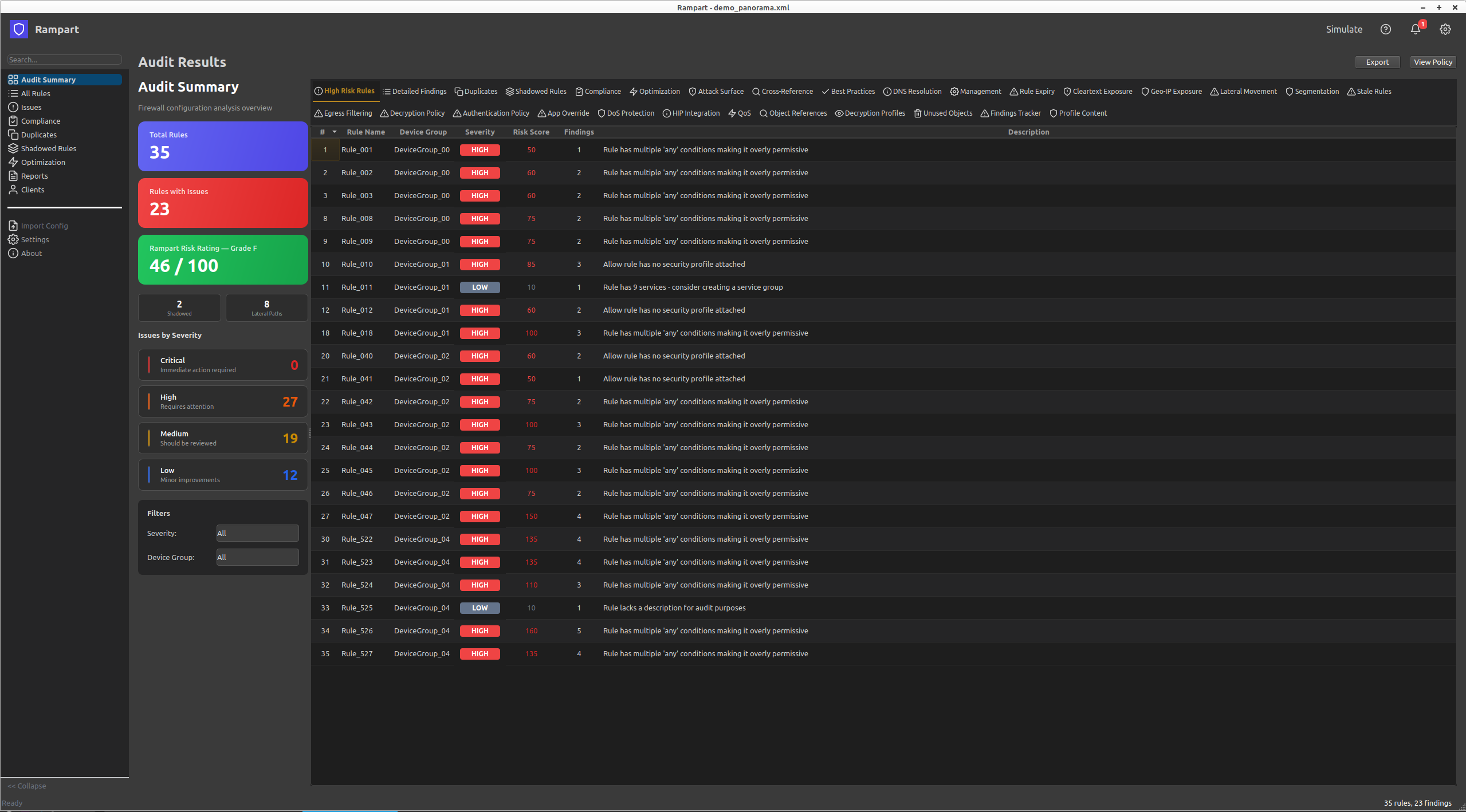
Look for excessive scope
Pay particular attention to rules containing:
- any source
- any destination
- any application
- any service
- broad internal zones
- broad external destinations
A broad rule is not automatically a finding. The audit question is whether its scope is justified by the intended business requirement.
Find shadowed rules
A rule can exist in the configuration without ever being reached because an earlier rule matches the same traffic.
Shadowed rules are important because they can make the rulebase appear more restrictive than it actually behaves.
Review the effective rule order rather than simply looking at individual rule settings.
Find duplicate and redundant rules
Look for rules that provide the same access or substantially overlap with other rules.
Duplicates increase complexity and make future changes harder to reason about.
They can also obscure which rule is actually intended to provide access.
Review stale rules
Rules that are no longer required should not remain indefinitely.
Use hit counts, change history, ownership information and business context where available.
A rule with no recent hits is evidence for investigation, not automatic proof that it can be deleted.
Review security profile coverage
An allow rule that permits traffic without appropriate security profiles should receive attention, particularly where it handles:
- internet traffic
- outbound access
- access to sensitive zones
Review whether profiles detect and prevent rather than simply alert.
Review application and service restrictions
The strongest rules identify the applications that are actually intended and use application-default where appropriate.
Rules with application "any", broad service definitions or unnecessary custom ports deserve closer examination. See auditing App-ID usage for a closer look at this combination.
Do not confuse a configuration finding with a risk finding
The purpose of the audit is not to produce the largest possible list of deviations.
A good finding explains:
- what the firewall is configured to do
- what traffic is affected
- why that matters
- what evidence supports the finding
- what should change
- how the change can be verified
A rule-by-rule review also cannot tell you what traffic can actually reach a given zone once rule order, objects and NAT are taken into account — that requireseffective access analysis.
See the complete Palo Alto firewall audit methodology in the book, or automate rulebase analysis with Rampart.